State Of The Linux Desktop In 2016 – Year Of The Linux Desktop?

Year Of Linux On The Desktop

It’s the year of the Linux desktop! A statement I’ve seen thrown around for many years now. It’s basically at the point where the running joke is that “year of the Linux desktop” is CurrentYear+1, a fantasy wonderland that remains ever so slightly out of reach.

So how is Linux to use on the desktop going into 2016? Let’s find out.

Read more »

Use /proc/sys and sysctl to modify and set kernel runtime parameters

Use sysctl to modify kernel runtime parameters

The Linux kernel is optimized so that it can perform generic tasks and work well with an average workload without any modification out of the box, however you can optionally further optimize and tweak various kernel runtime parameters to increase the performance level, allowing you to squeeze out as much performance as possible.

Here we’re going to discuss the /proc/sys file system and how you can modify kernel runtime parameters to modify and tune Linux.

Read more »

How To Free /boot Disk Space In Linux

Free boot space

By default the size of a /boot partition in Linux is not that big, 512mb or so is quite a typical default. This space is used to store different versions of the Linux kernel that you have concurrently installed at the same time.

If this space fills up you may not be able to perform a kernel upgrade in future so it is important to not let it fill and free up space in /boot.

Read more »

How To Configure Network Teaming In Linux

Configure Network Teaming

In Linux it is possible to aggregate multiple network links together into a single logical link which can either increase network throughput or redundancy. For example we can assign an IP address to a group of two network interfaces to double our throughput, or reserve one interface for backup purposes so if the first one fails we can fail over.

Here we’re going to cover how to create and configure a network team with two different network interfaces.

Read more »

How To Use The Bitcoin Client Over The Tor Network

Here we cover how to configure the Bitcoin client to send traffic via the Tor network rather than directly out to the Internet over your own connection, which can help reduce your Bitcoin transactions / addresses from being associated with your IP address.

Read more »

Configure IPv6 Addresses And Basic Troubleshooting In Linux

How To Configure And Troubleshoot IPv6 Addresses In Linux

In the past many system administrators have simply resorted to disabling IPv6 rather than properly configuring it, continuing to rely on the older IPv4 which has worked just fine for a very long time. As the IPv4 address space has since become exhausted, administrators are starting to slowly take up IPv6 out of necessity.

Here we’re going to cover how to configure IPv6 addressing in Linux and provide some basic tips and advice for troubleshooting IPv6 network issues.

Read more »

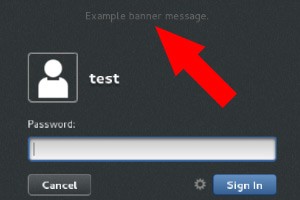
How To Set GNOME Display Manager Banner Message

GDM Banner

Here we cover how to add a banner message in the GNOME Display Manager (GDM), this message will display in the graphical user interface (GUI) prior to a user logging in.

Read more »

Overview of Kiwicon 2015

Kiwicon 9 2015 Overview

This year for the first time I made my way down to Wellington in New Zealand to attend Kiwicon 9. Kiwicon is a security / hacker conference that has been held each year since 2007.

I’ve previously attended Ruxcon 6 times, which is another computer security conference but here in Australia so it’s a bit easier for me to get to. After my experience with Kiwicon I am definitely interested in going back, it was easily the best security conference that I’ve been to so far.

Read more »

How To View BitLocker Disk Status

Bitlocker status

BitLocker is Microsoft’s solution to providing full disk encryption. While setting up BitLocker and encrypting your disk you probably want to check and view the progress and see the current status, as it can take quite a long time depending on the size and speed of your disk.

Here we cover how to view the current BitLocker status in both the graphical user interface, and with PowerShell.

Read more »

Configure Squid Proxy To Forward To A Parent Proxy

Here we’re going to take a look at configuring two Squid proxy servers to forward requests from an internal network with no connectivity to the Internet out to a DMZ network and then onto the Internet if required.

The configuration will allow us to select which domains should or should not be forwarded on to the next proxy server, allowing requests that are destined for domains within the internal network to not be forwarded to the next Squid proxy, while other requests to the DMZ network or the Internet will be forwarded to the next proxy.

Read more »